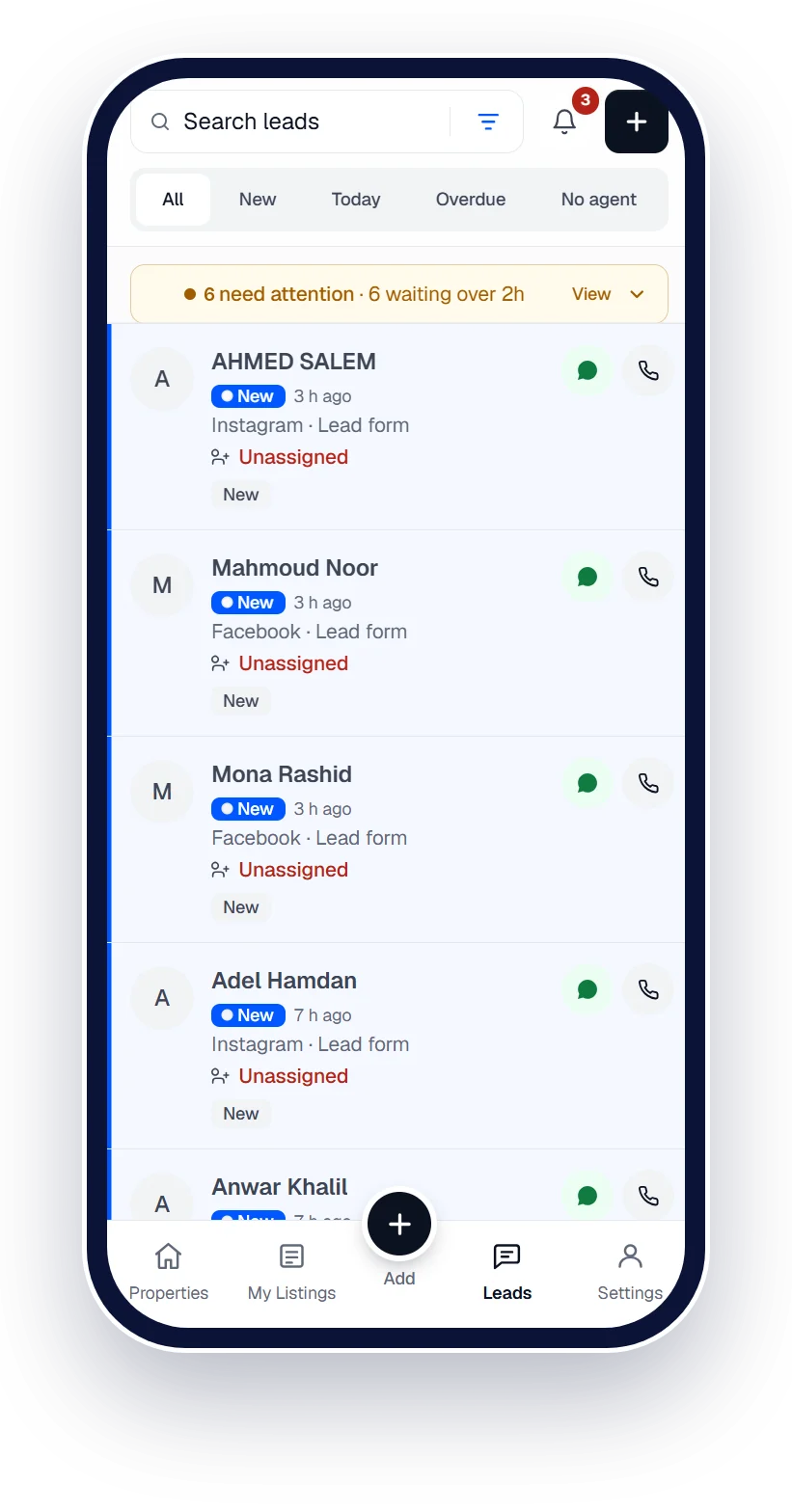
Turn lead ads into booked viewings.
Connect your Facebook Page once. Every Facebook and Instagram lead reaches an agent while it's still warm.




 Works with Qatar's portals and Meta lead ads
Works withPublishes to the portals · Captures leads from the ads
- Property Finder
- Qatar Living
- Property Oryx
- Facebook
- Instagram
- WhatsApp
- Property Finder
- Qatar Living
- Property Oryx
- Facebook
- Instagram
- WhatsApp
Facebook & Instagram lead ads
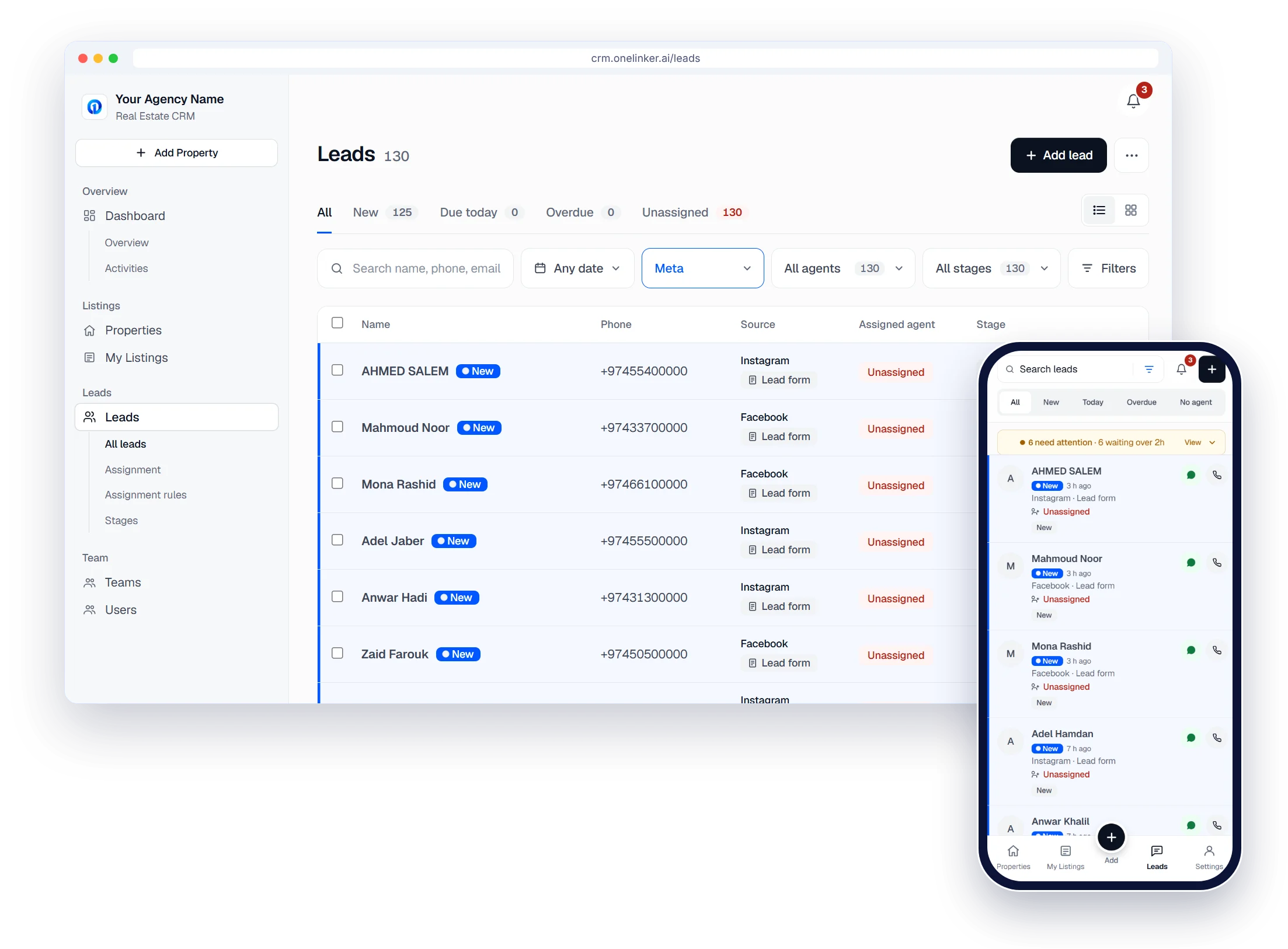
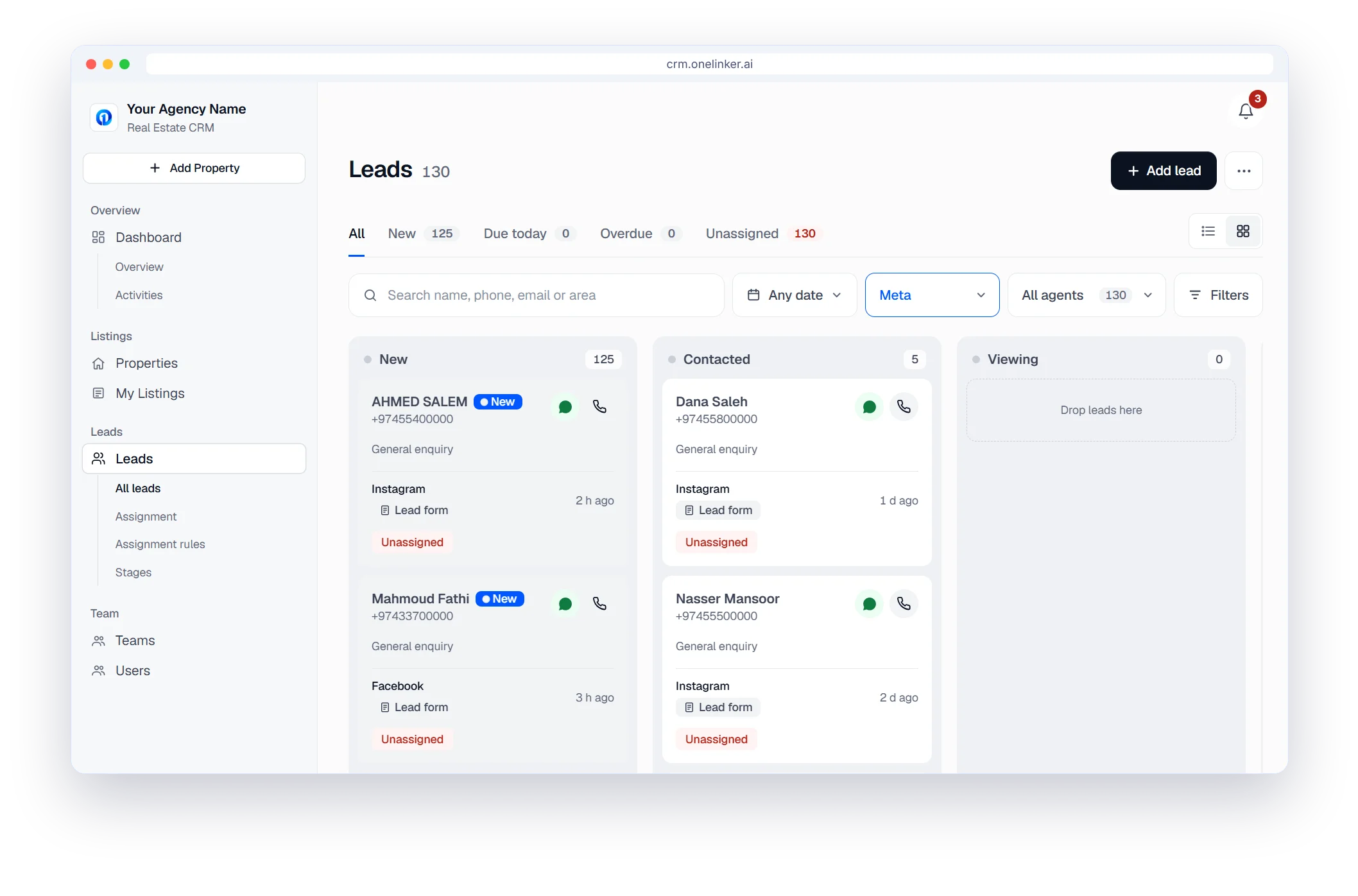
No more spreadsheet downloads
Lead forms arrive the moment they're sent, with the campaign they came from. Nothing to export or paste.
- One column for every stage
- Drop a lead into the next stage
- WhatsApp and call buttons on every card
Facebook & Instagram lead ads
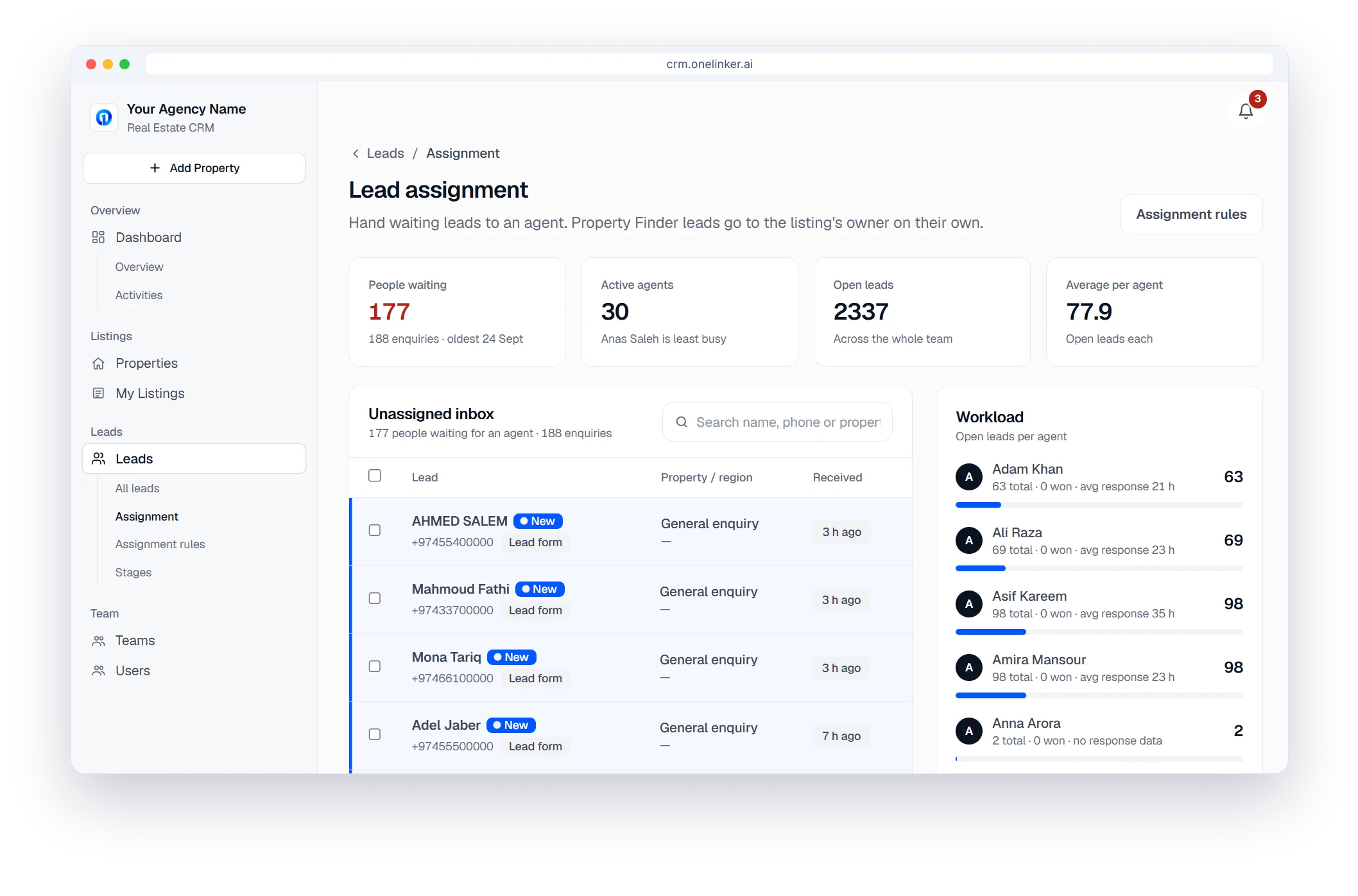
Assigned in seconds
Round robin hands each new lead to the ticked agent with the least open work. Nobody waits for a manager to forward it.
- Or choose Manual and hand leads out yourself
- An Unassigned inbox so nothing is lost
Facebook & Instagram lead ads
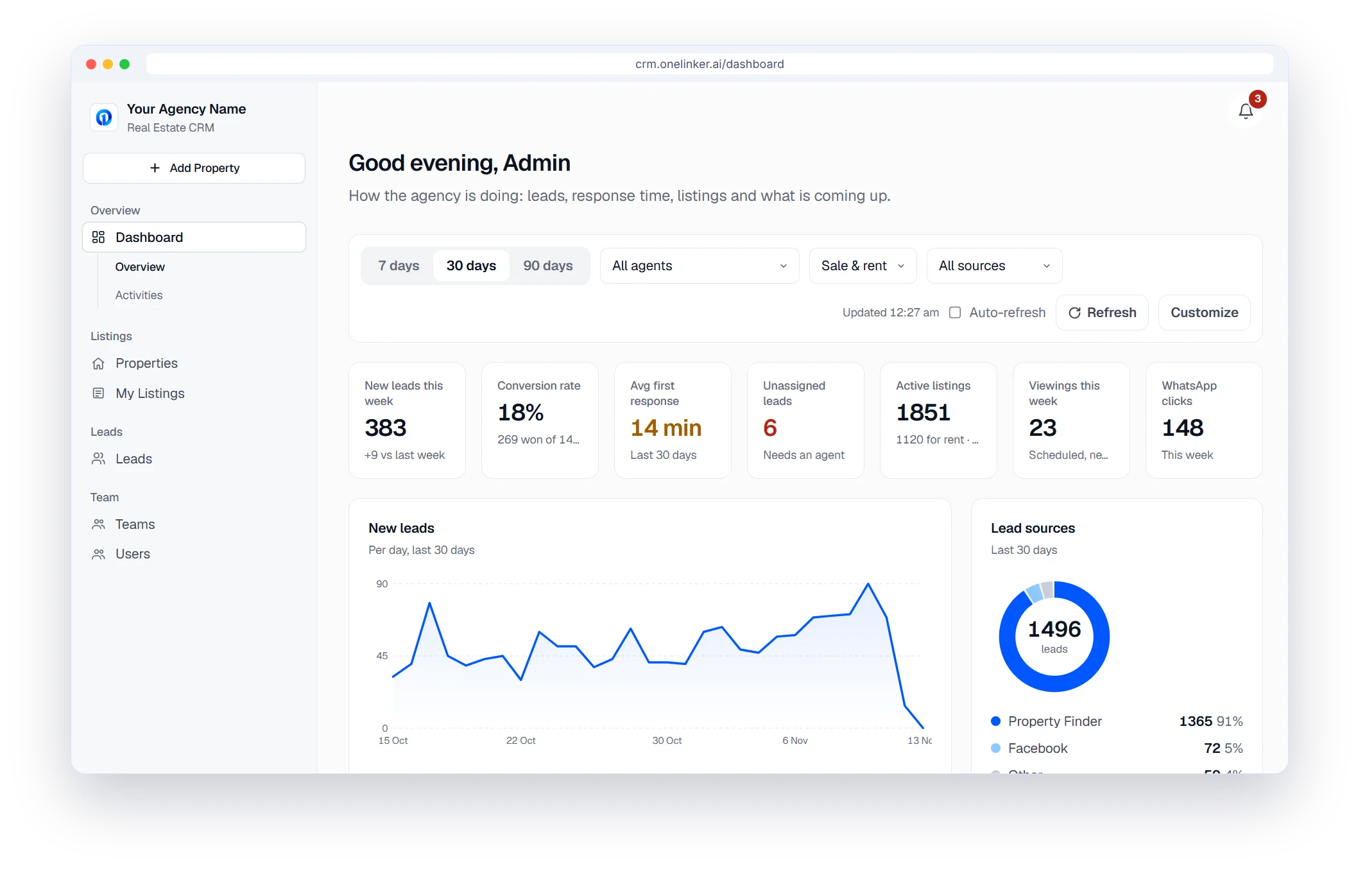
Know which ads pay off
New leads per day and per source, conversion and first response time, filtered by 7, 30 or 90 days.
Facebook & Instagram lead ads
Connect your lead sources once
Settings › Lead sources.
- Facebook and Instagram lead ads, and Google Ads lead forms
- Website form, WhatsApp links, Zapier, Make and webhooks
- Excel and CSV import for older leads
Facebook · Instagram · WhatsApp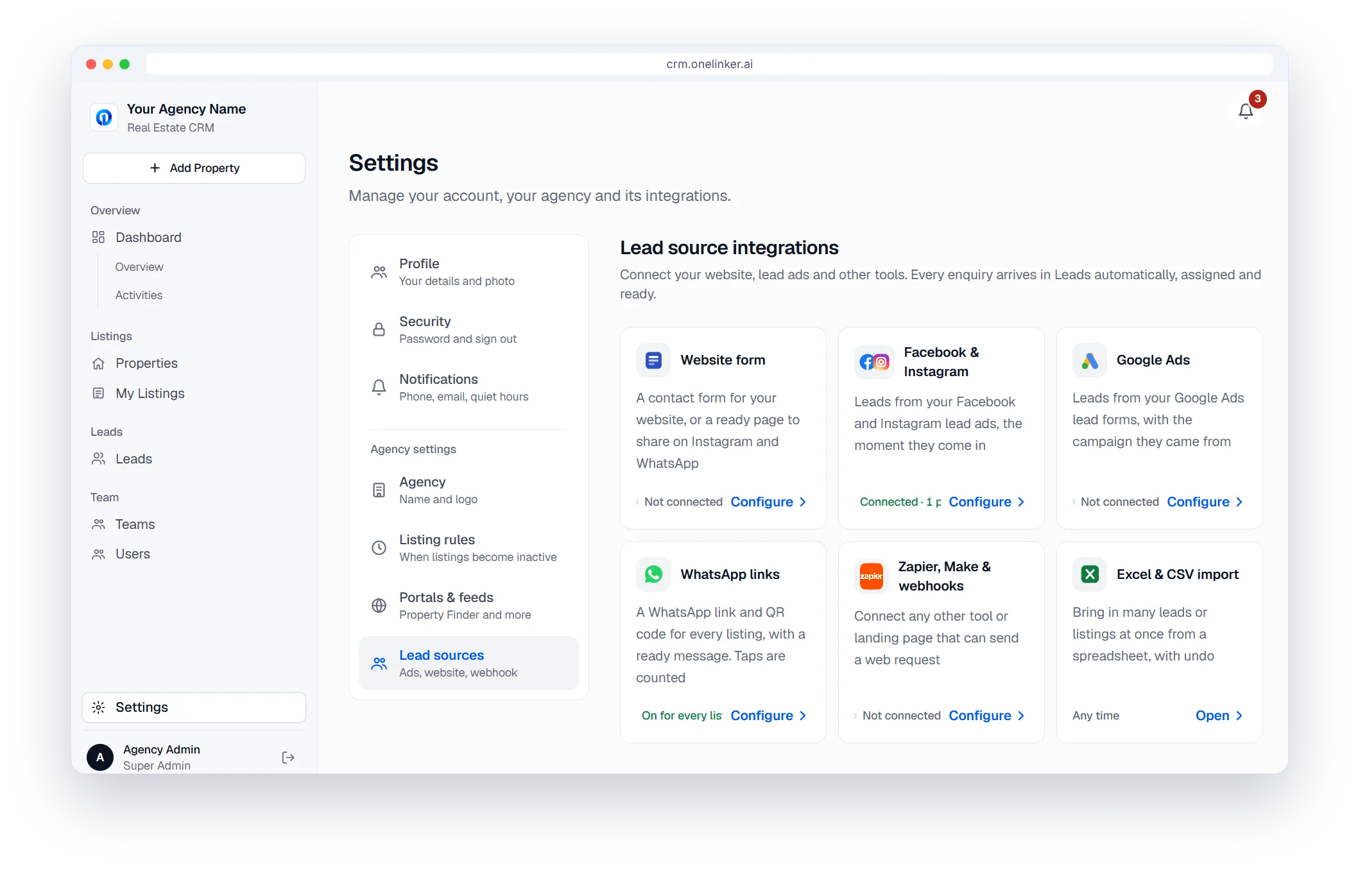
The setup path
Six steps from sign-up to your first published listing
- 1
Create your account
Sign up with your company details. It takes about two minutes.
- 2
Brand your agency
Add your agency name and logo.
- 3
Add your team
Invite agents, set their roles and build your teams.
- 4
Connect portals
Property Finder, Qatar Living, Property Oryx and your website.
- 5
Connect lead sources
Meta lead ads, Google Ads, your website form and WhatsApp.
- 6
Publish and follow up
Add listings, publish them, and work every lead.
Questions, answered.
Do I need a developer to connect Facebook?
No. You connect your Facebook Page from Settings and choose which lead forms to bring in.
Does it work with Instagram lead ads too?
Yes. Instagram lead form enquiries come through the same connection and are labelled as Instagram.
Can I turn the connection off?
Yes. Disconnect it any time in Settings and new leads stop coming in from that source.
Can I import older leads?
You can sync recent leads from a connected Page, and import older ones from a spreadsheet.
How do I try it?
Start the free trial, create your agency account and connect your Page. No credit card is needed.
Start your free trial
Your listings on every portal and every lead in one inbox, set up in minutes.
- Free trial
- No credit card
- Set up in minutes