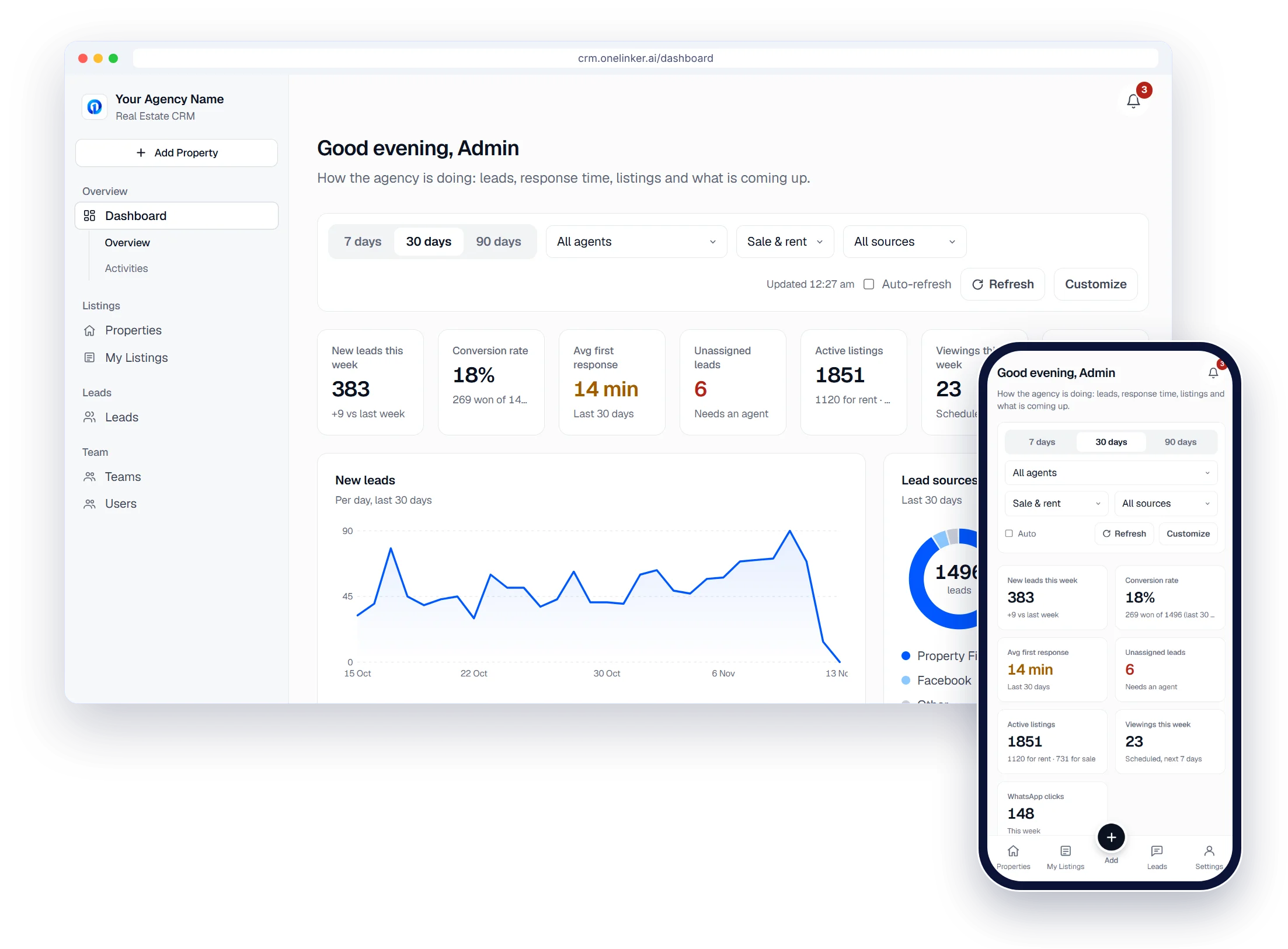
The CRM built for Qatar's agencies.
Your portals, WhatsApp and lead ads, connected in one workspace your agents can run from their phones.



 Works with Qatar's portals and Meta lead ads
Works withPublishes to the portals · Captures leads from the ads
- Property Finder
- Qatar Living
- Property Oryx
- Facebook
- Instagram
- WhatsApp
- Property Finder
- Qatar Living
- Property Oryx
- Facebook
- Instagram
- WhatsApp
Real estate CRM in Qatar
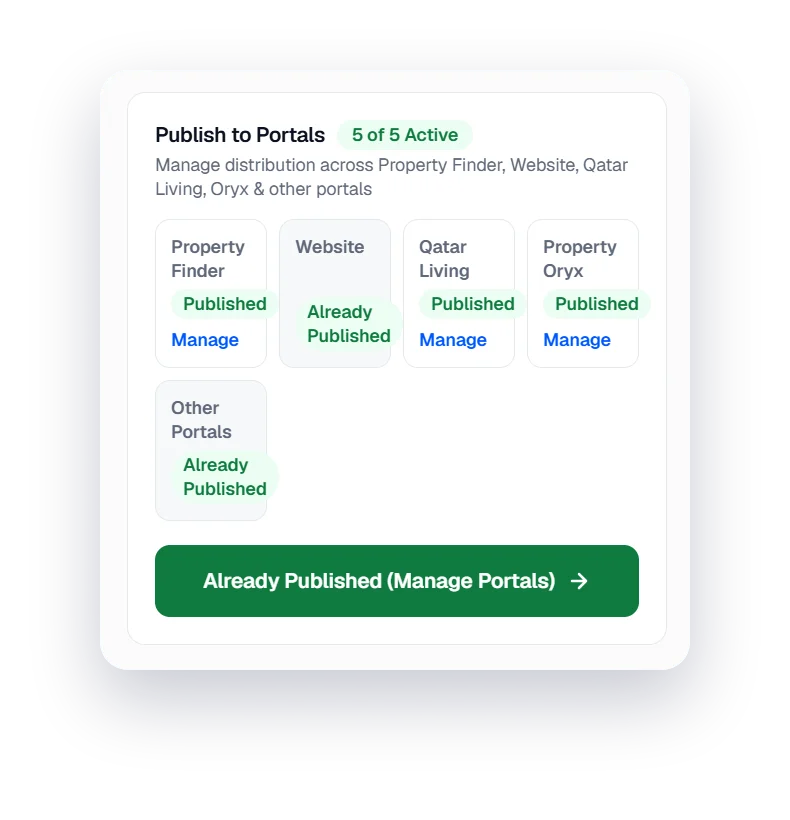
Your portals, connected
Publish to Property Finder, Qatar Living and Property Oryx. Enquiries come back into one inbox.
Property Finder · Qatar Living · Property Oryx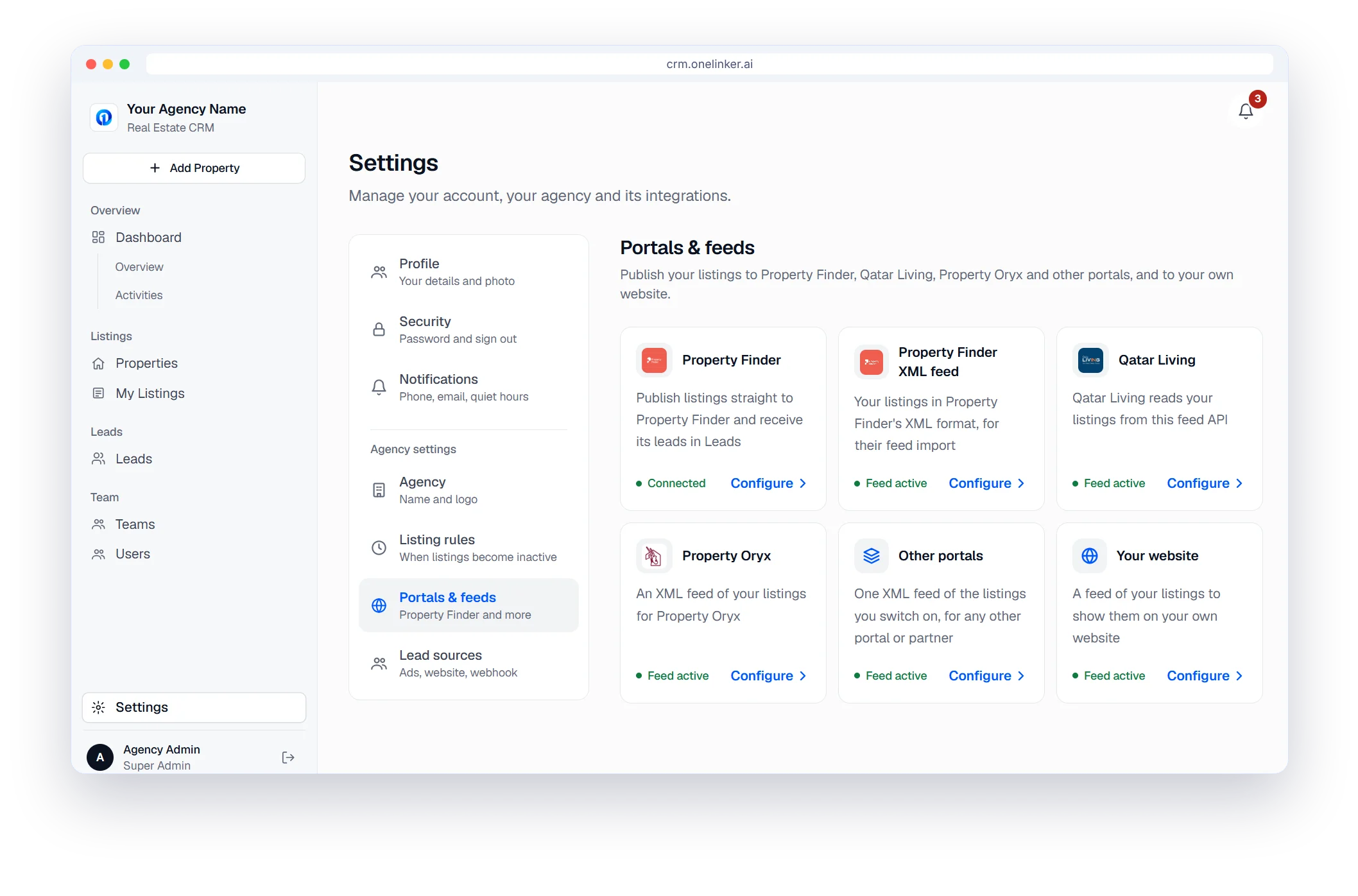
Real estate CRM in Qatar
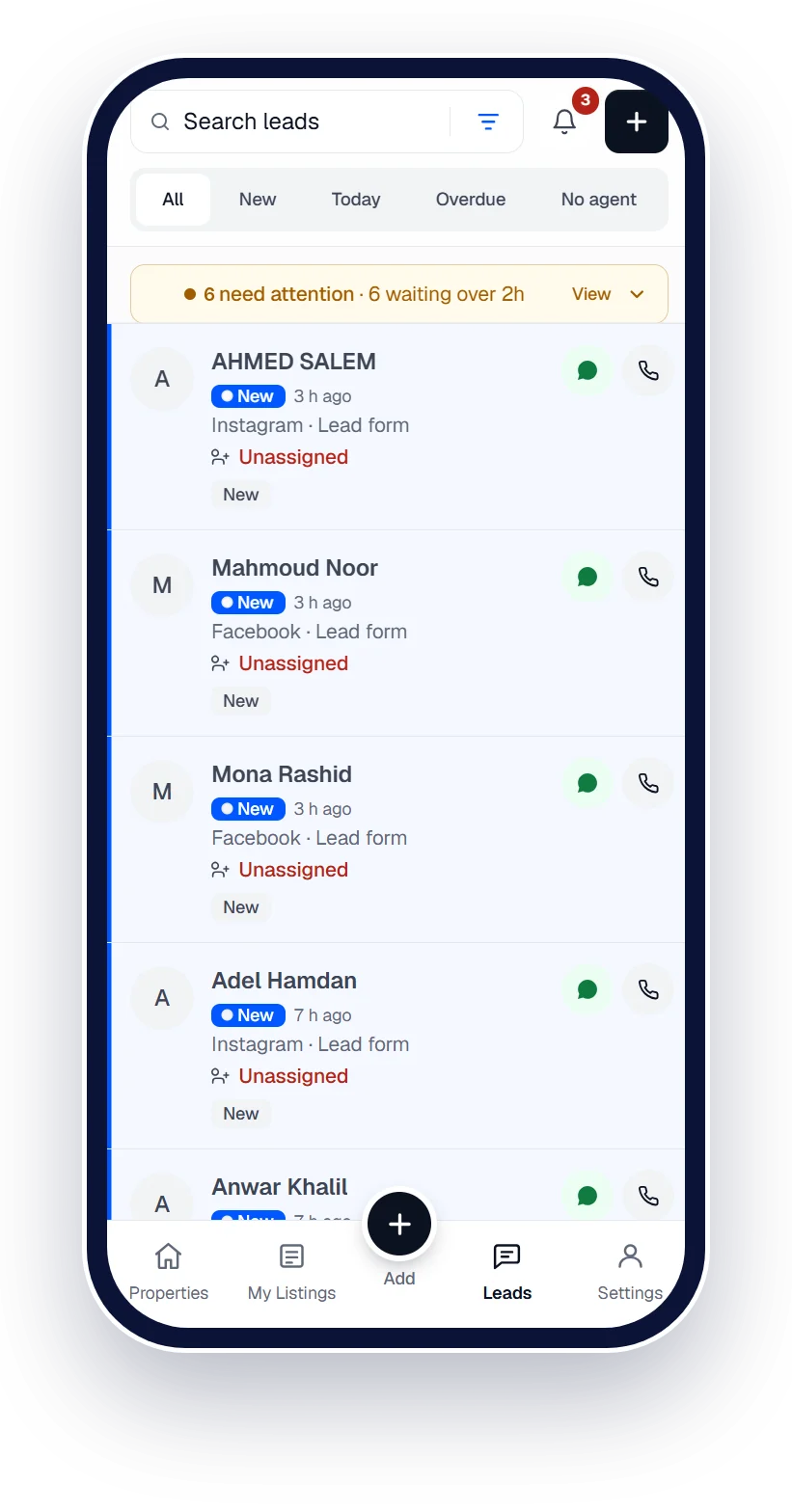
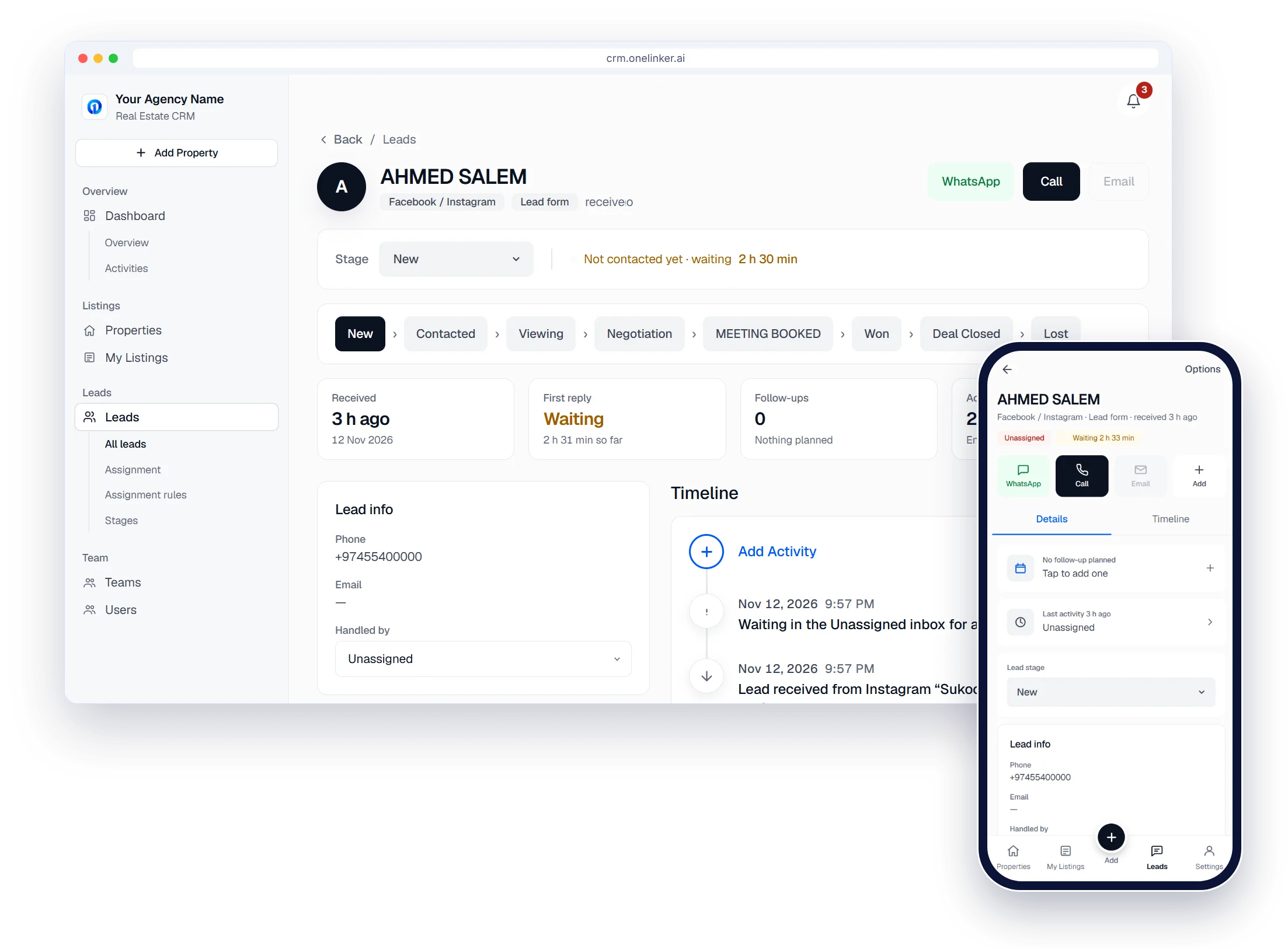
WhatsApp-first follow-up
Open the chat from the lead in one tap, with the full history beside you.
- WhatsApp, Call and Email on desktop and phone
- Every listing has its own WhatsApp link and QR code
Real estate CRM in Qatar
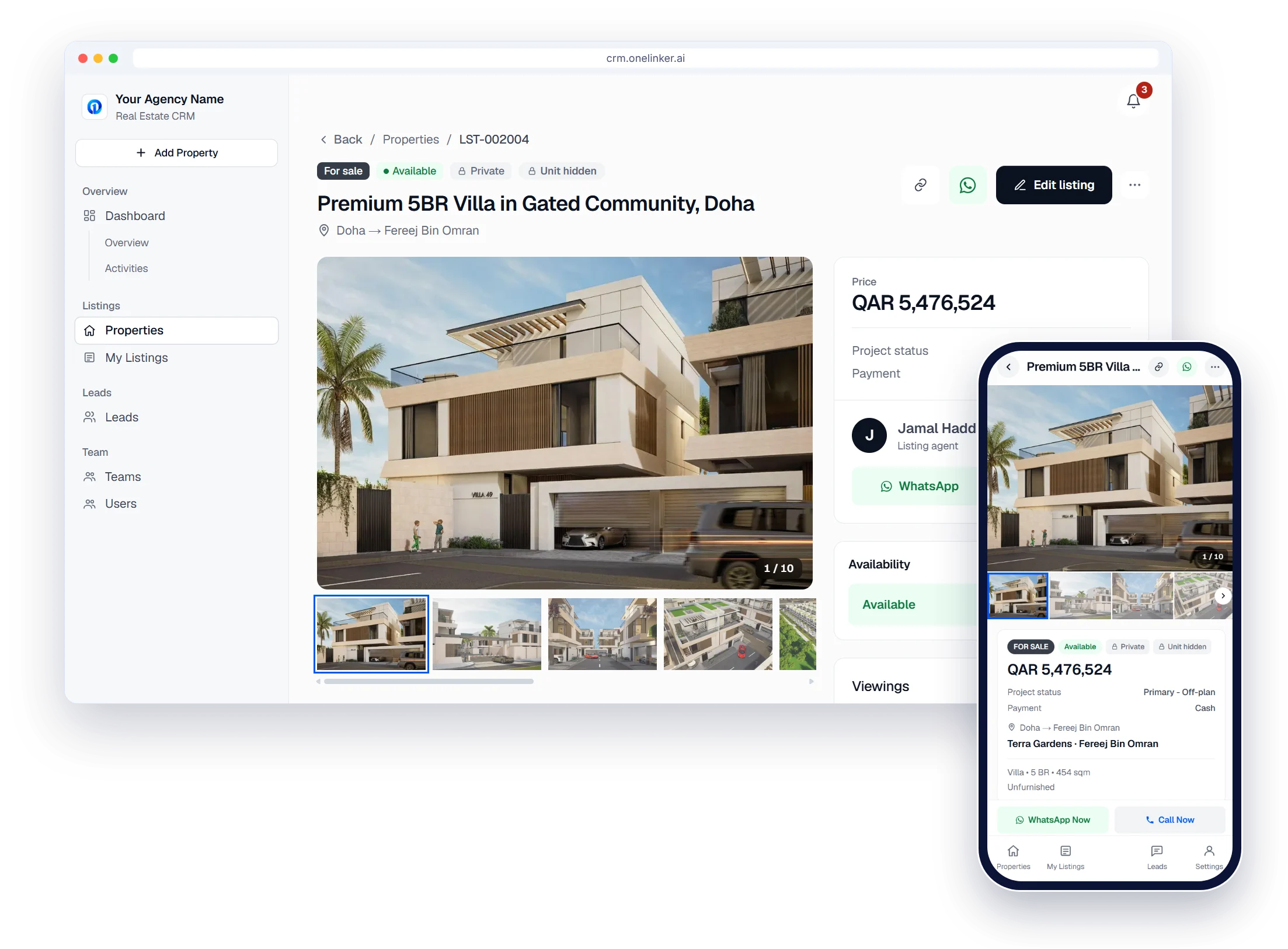
Built for a team on the move
Installs on any iPhone or Android, so agents work leads and listings from the viewing itself.
- New-lead alerts even when the CRM is closed
- WhatsApp Now and Call Now on every listing
The setup path
Six steps from sign-up to your first published listing
- 1
Create your account
Sign up with your company details. It takes about two minutes.
- 2
Brand your agency
Add your agency name and logo.
- 3
Add your team
Invite agents, set their roles and build your teams.
- 4
Connect portals
Property Finder, Qatar Living, Property Oryx and your website.
- 5
Connect lead sources
Meta lead ads, Google Ads, your website form and WhatsApp.
- 6
Publish and follow up
Add listings, publish them, and work every lead.
Questions, answered.
Do I have to move all my data at once?
No. Import your leads from a spreadsheet, add properties as you go and connect your portals when you're ready.
Can my team use it on their phones?
Yes. It works in any phone browser and can be installed on the home screen.
Does it use Qatar's areas and locations?
Yes. Listings use the location structure the portals expect, so areas match.
Where is my data kept?
On Google Cloud infrastructure, in private storage, with daily backups. See our security page for details.
How do I try it?
Start the free trial and create your agency account. No credit card is needed.
Start your free trial
Your listings on every portal and every lead in one inbox, set up in minutes.
- Free trial
- No credit card
- Set up in minutes