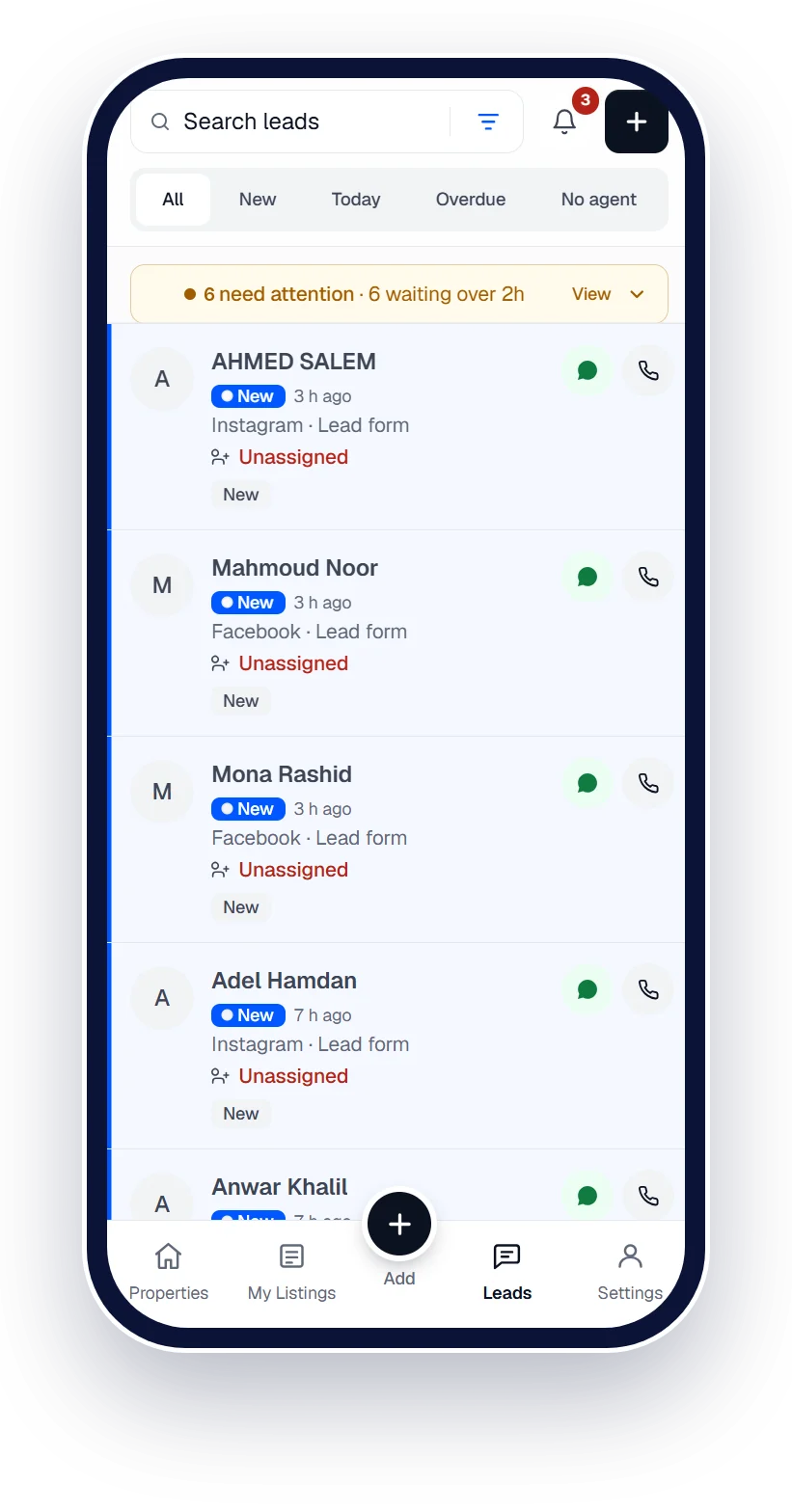
Every lead to the right agent, automatically.
Round robin decides the moment a lead arrives, or you hand leads out yourself. Nothing sits unseen.





 Works with Qatar's portals and Meta lead ads
Works withPublishes to the portals · Captures leads from the ads
- Property Finder
- Qatar Living
- Property Oryx
- Facebook
- Instagram
- WhatsApp
- Property Finder
- Qatar Living
- Property Oryx
- Facebook
- Instagram
- WhatsApp
Lead assignment
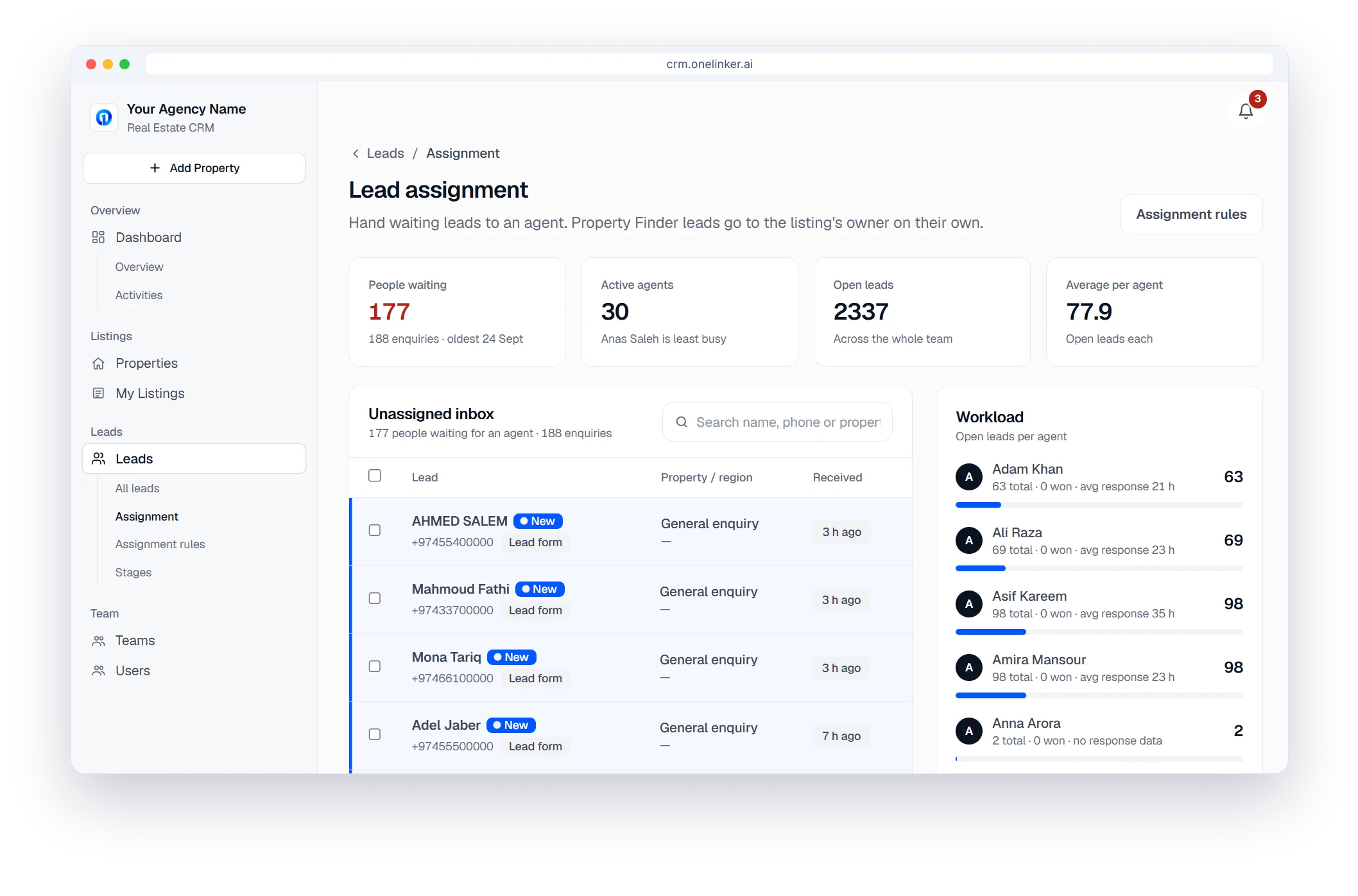
Fair by default
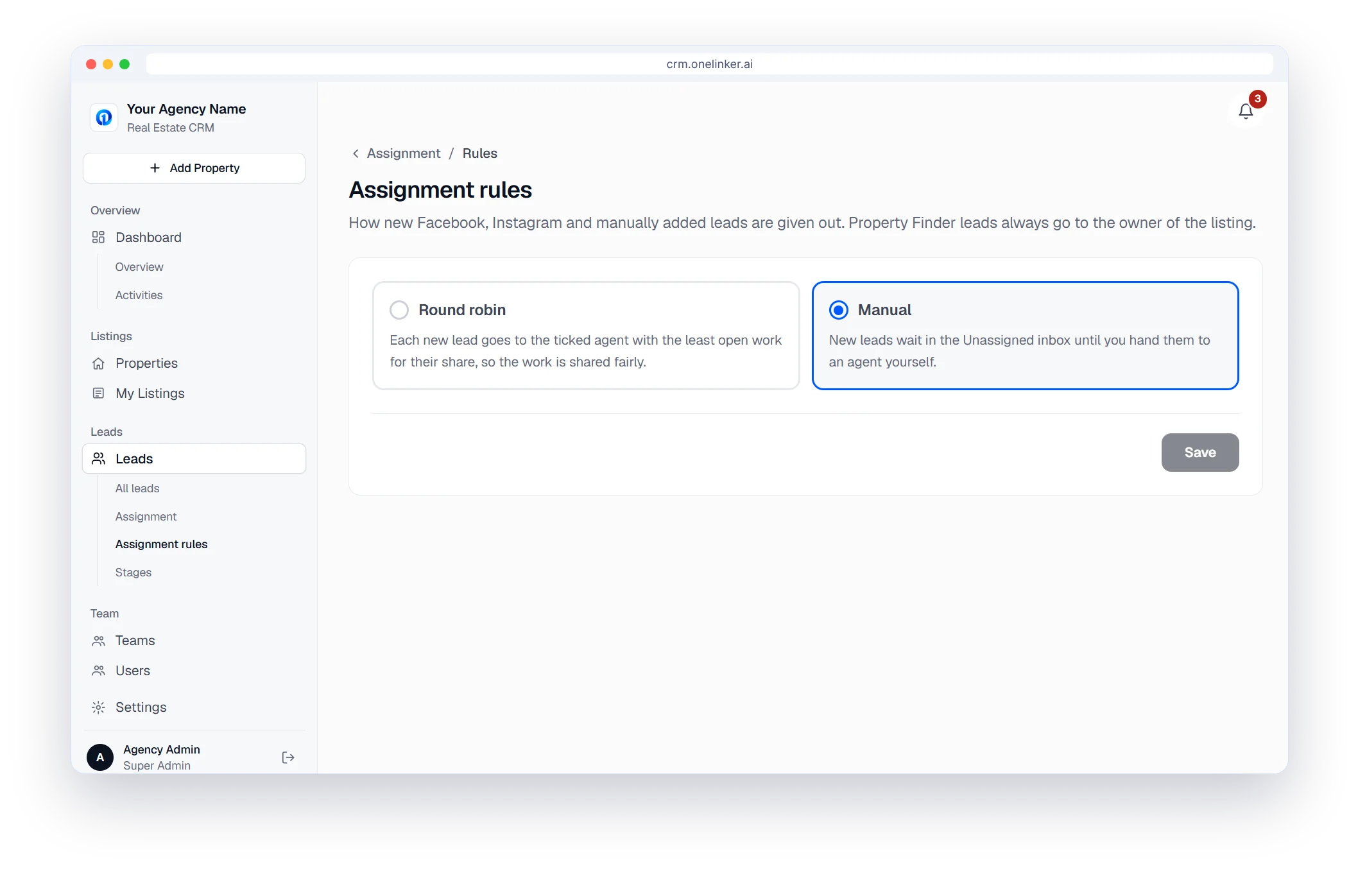
Round robin gives each new lead to the ticked agent with the least open work for their share. Or choose Manual and hand them out yourself.
Lead assignment
Nothing waits unseen
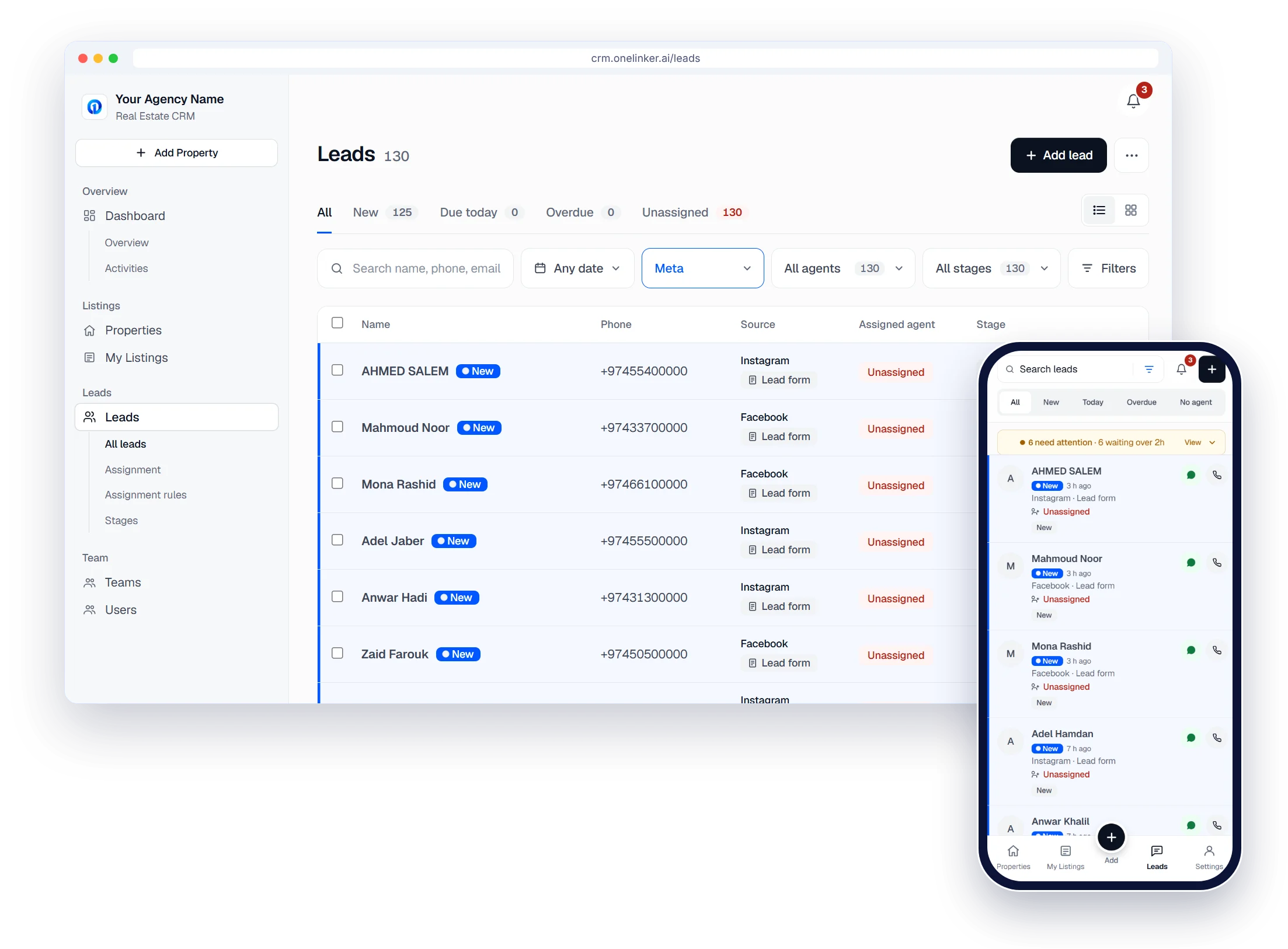
Unassigned leads wait in their own tab, with a banner when one has waited too long.
- Choose after how many hours an uncontacted lead is flagged
- Property Finder leads go to the listing's owner automatically
Lead assignment
Managers stay in control
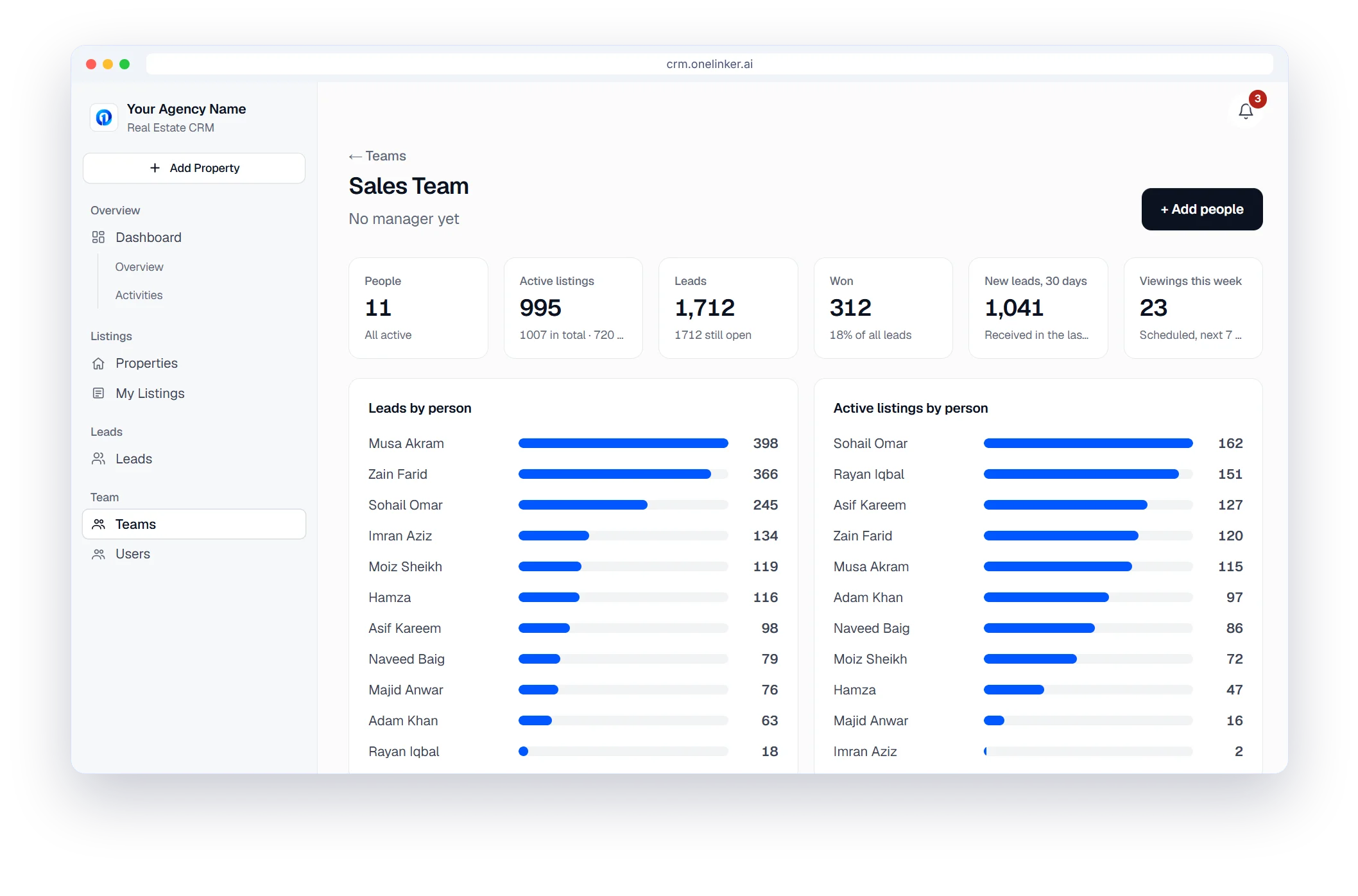
Each team has its own manager, who sees the team's numbers and leads and assigns or reassigns them.
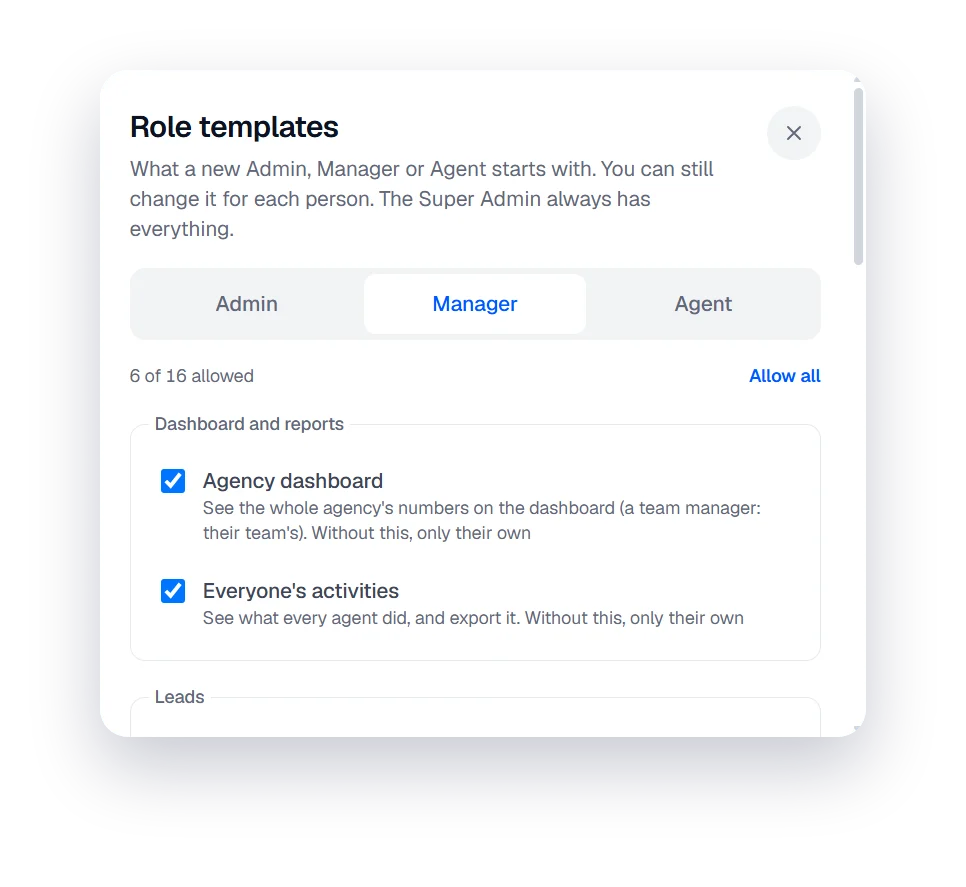
- Admin, Manager and Agent templates with 16 permissions
- Change them for any one person
The setup path
Six steps from sign-up to your first published listing
- 1
Create your account
Sign up with your company details. It takes about two minutes.
- 2
Brand your agency
Add your agency name and logo.
- 3
Add your team
Invite agents, set their roles and build your teams.
- 4
Connect portals
Property Finder, Qatar Living, Property Oryx and your website.
- 5
Connect lead sources
Meta lead ads, Google Ads, your website form and WhatsApp.
- 6
Publish and follow up
Add listings, publish them, and work every lead.
Questions, answered.
What kinds of rules can I set?
Round robin across the agents you tick, each with their share, or Manual, where new leads wait in the Unassigned inbox until a manager hands them out.
What about leads from Property Finder?
Property Finder leads go to the agent who owns the listing. Rules handle Facebook, Instagram and manually added leads.
Can an agent see another agent's leads?
Not unless you give them that permission. By default agents see only their own.
Can I assign leads by hand?
Yes. Choose manual and leads wait in the Unassigned inbox until a manager hands them out.
How do I try it?
Start the free trial, add your agents and set your first rule. No credit card is needed.
Start your free trial
Your listings on every portal and every lead in one inbox, set up in minutes.
- Free trial
- No credit card
- Set up in minutes