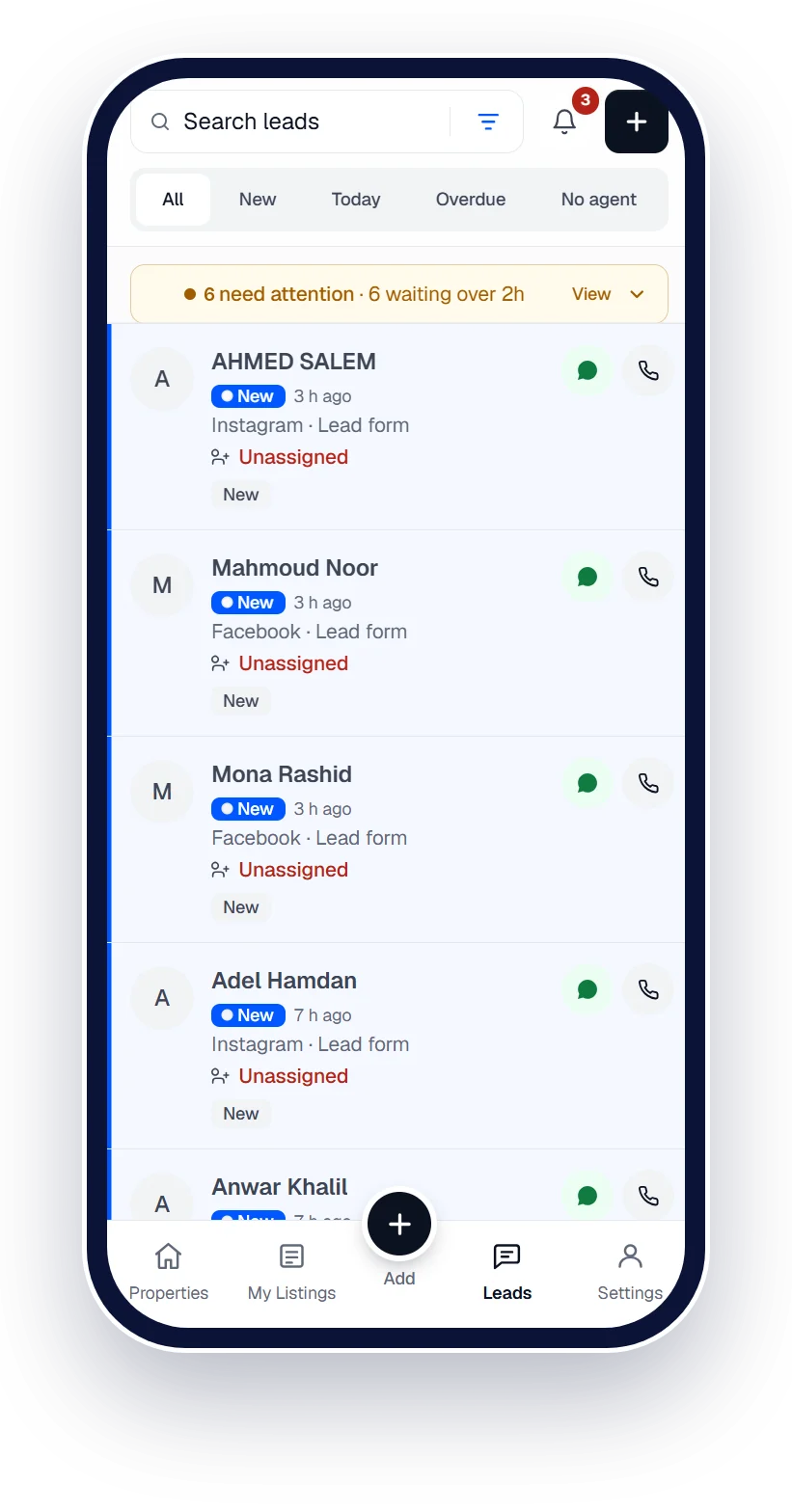
Every Property Finder lead, answered faster.
Calls, WhatsApp and form enquiries in one pipeline, with the right agent on each one in seconds.




 Works with Qatar's portals and Meta lead ads
Works withPublishes to the portals · Captures leads from the ads
- Property Finder
- Qatar Living
- Property Oryx
- Facebook
- Instagram
- WhatsApp
- Property Finder
- Qatar Living
- Property Oryx
- Facebook
- Instagram
- WhatsApp
CRM for Property Finder
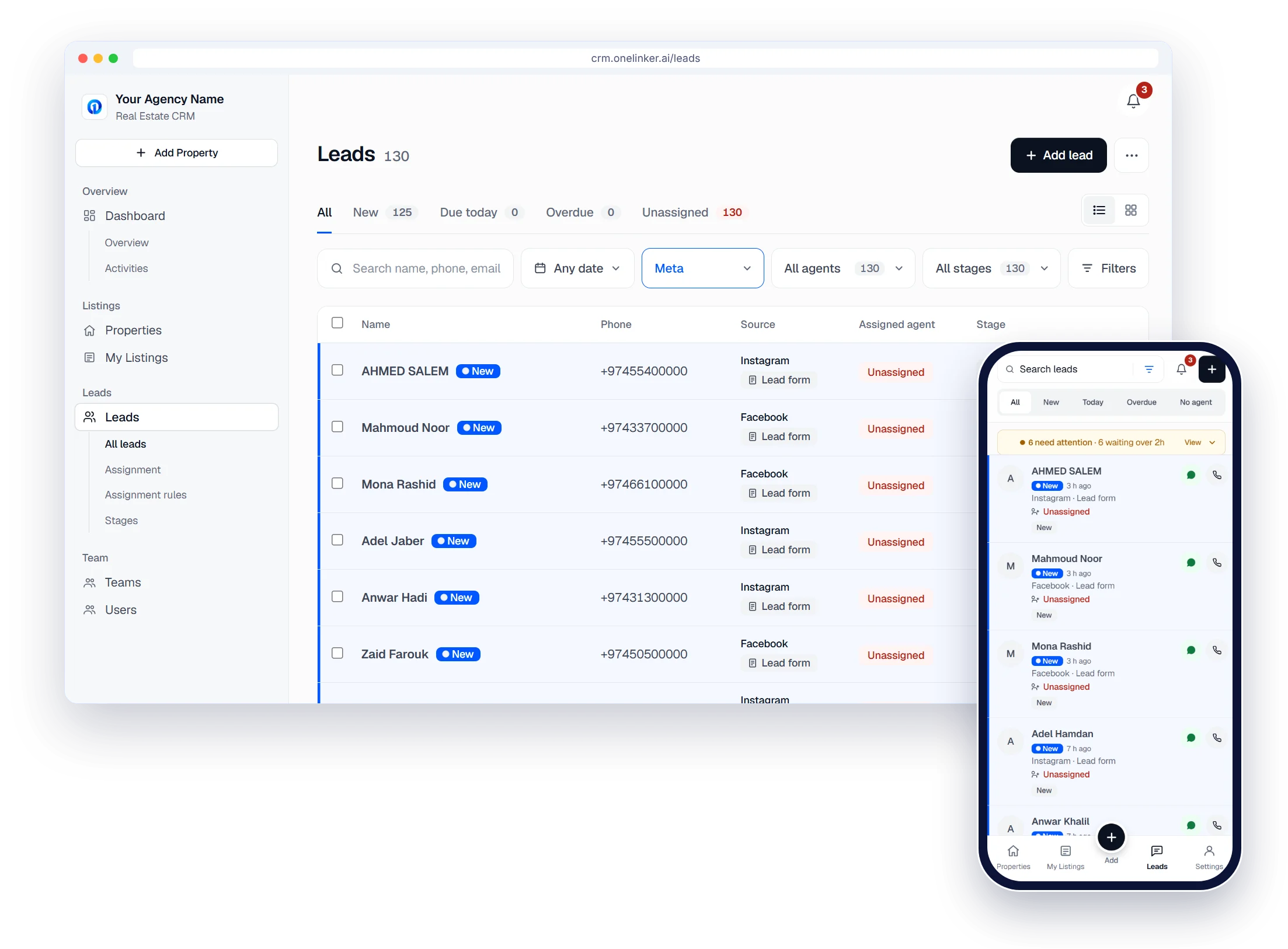
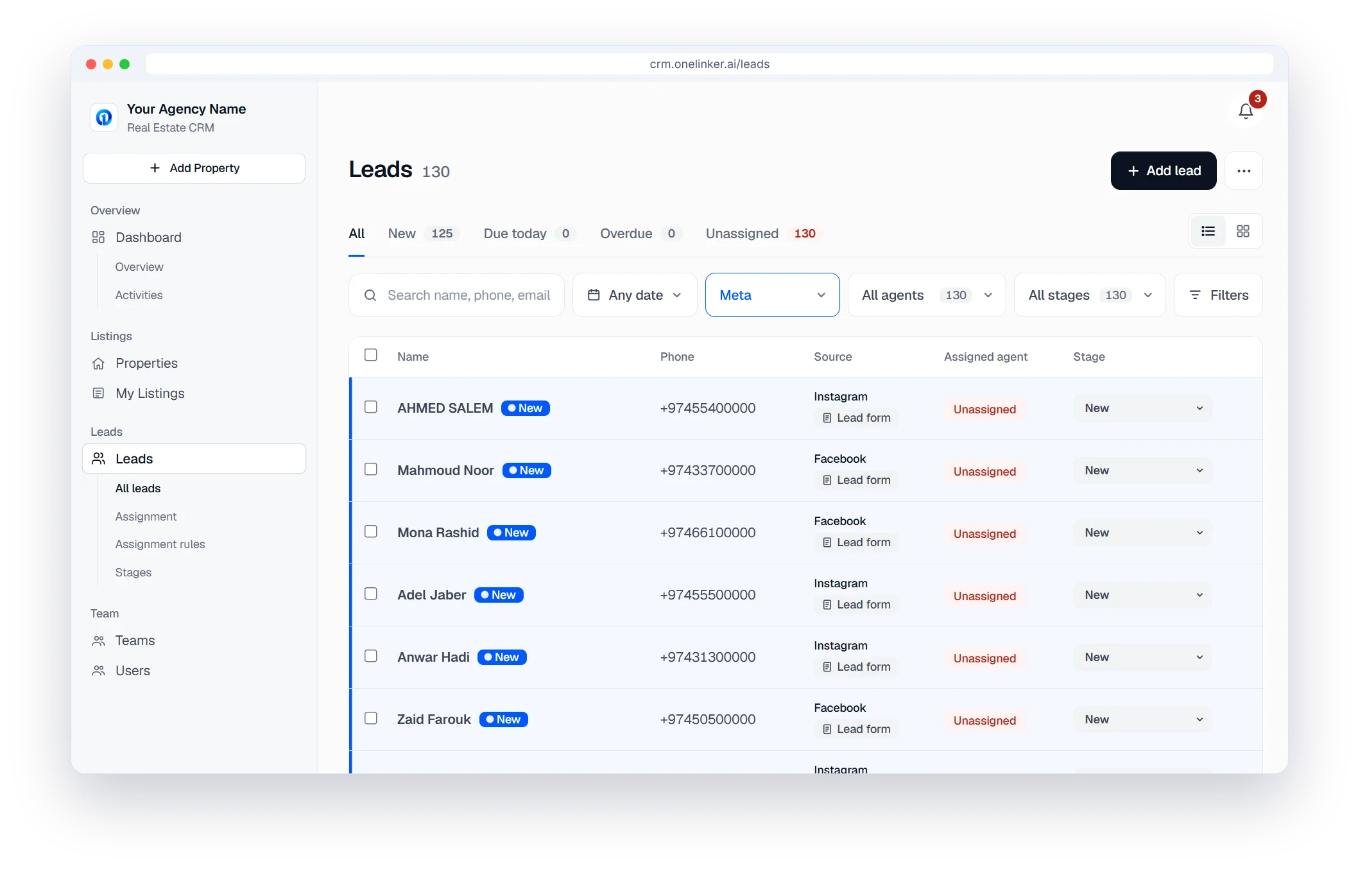
Every enquiry in one place
Calls, WhatsApp and form enquiries land in one inbox, with the source on every row.
- Tabs for New, Due today, Overdue and Unassigned
- A banner when a new lead has waited too long
- Table or board view, one column per stage
CRM for Property Finder
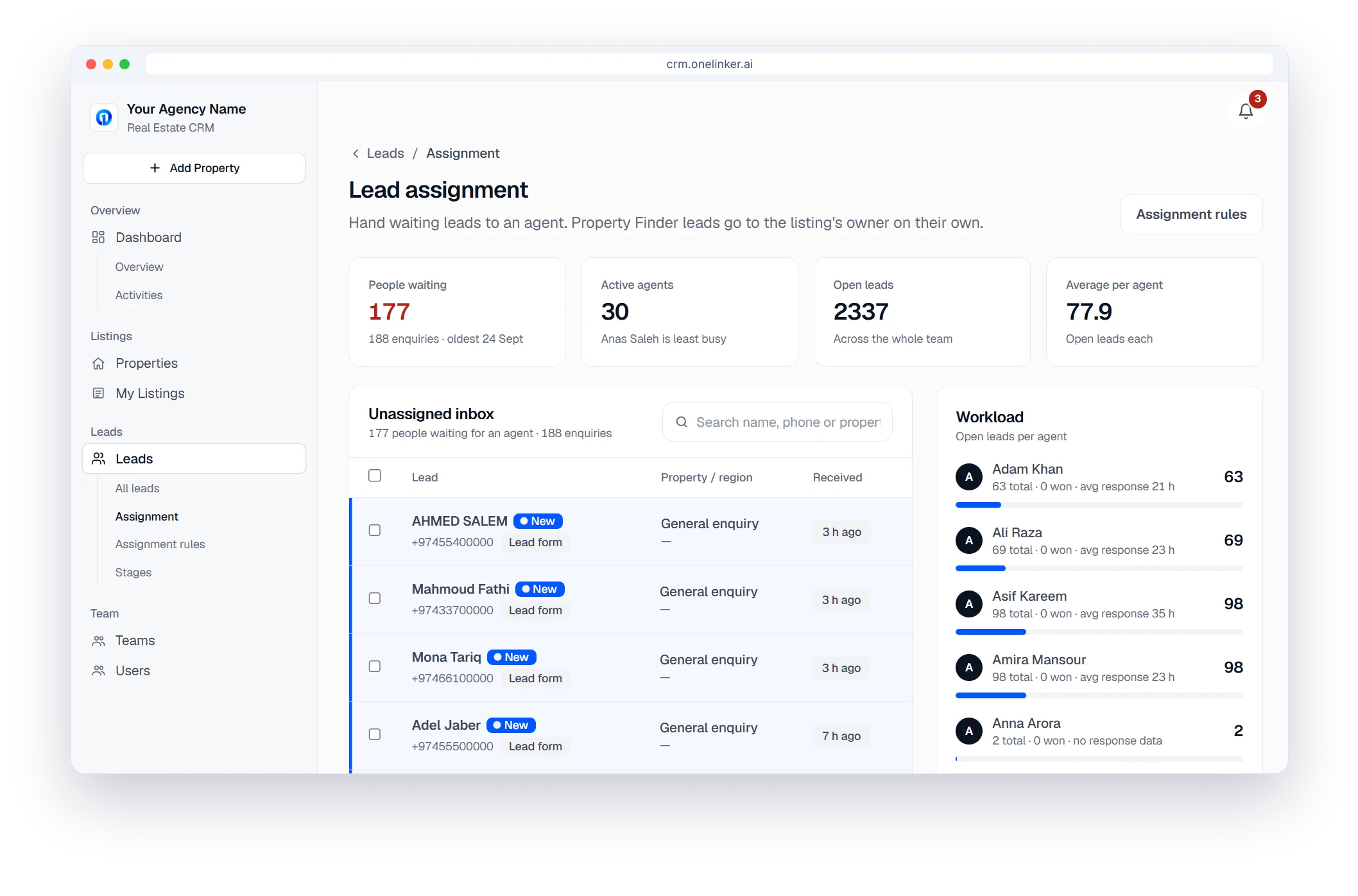
Straight to the listing's agent
Property Finder leads go to the listing's owner automatically. Anything unmatched waits in the Unassigned inbox for a manager.
- Workload per agent: open leads and average response
- People waiting, and the oldest enquiry
CRM for Property Finder
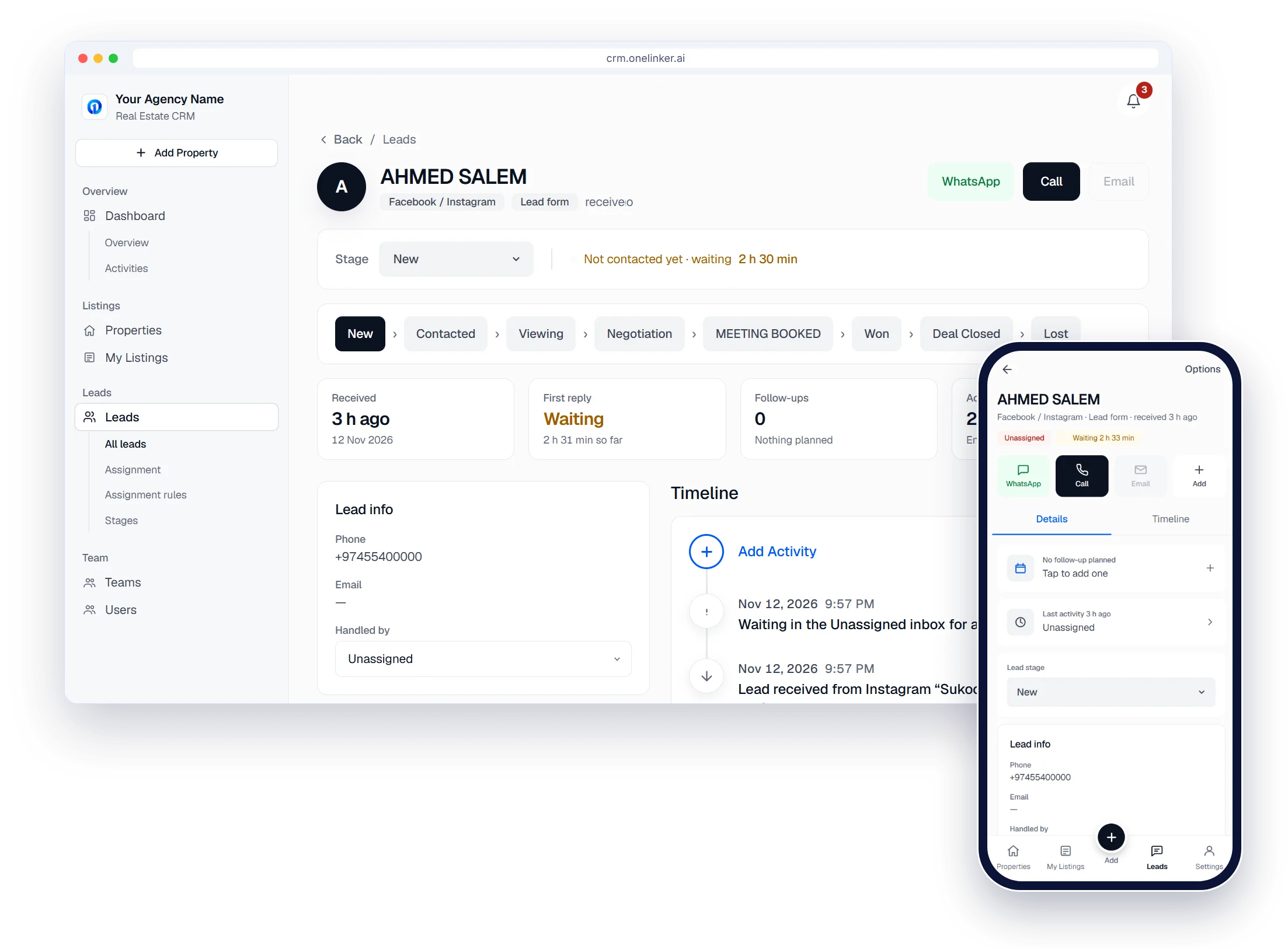
Follow-ups that don't slip
One page per client, with WhatsApp, Call and Email one tap away on desktop and phone.
- A stage bar from New to Won or Lost
- First-reply timer, follow-ups and viewings
- A full timeline of who did what
CRM for Property Finder
Connected in a few minutes
Settings › Portals & feeds › Property Finder.
- Enter your Property Finder API key and secret
- Test Connection confirms the link works
- Set up webhooks so its leads land in Leads
Property Finder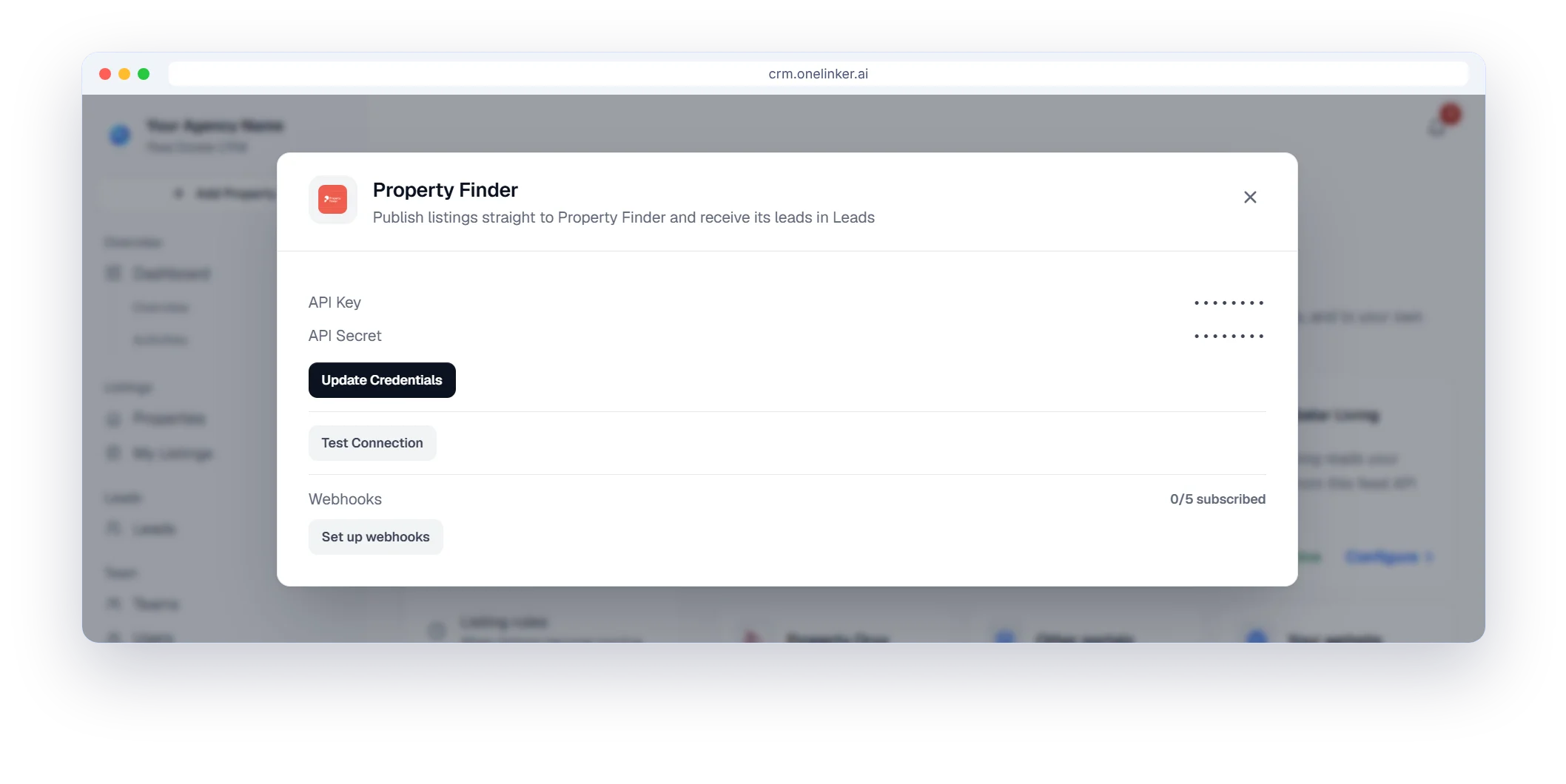
The setup path
Six steps from sign-up to your first published listing
- 1
Create your account
Sign up with your company details. It takes about two minutes.
- 2
Brand your agency
Add your agency name and logo.
- 3
Add your team
Invite agents, set their roles and build your teams.
- 4
Connect portals
Property Finder, Qatar Living, Property Oryx and your website.
- 5
Connect lead sources
Meta lead ads, Google Ads, your website form and WhatsApp.
- 6
Publish and follow up
Add listings, publish them, and work every lead.
Questions, answered.
How do Property Finder leads get into OneLinker CRM?
You connect your Property Finder account in Settings. New enquiries then arrive in your pipeline automatically, and you can also sync on demand from the Leads page.
Which kinds of enquiries are included?
Calls, WhatsApp enquiries and form or email enquiries. Each lead shows the channel it came through.
Are leads matched to the listing they were about?
Yes, where the listing reference matches one of your listings, the lead is linked to it so the agent knows exactly what the client asked about.
Can I publish listings to Property Finder as well?
Yes. You can publish and update listings on Property Finder from the same place you manage your leads.
How do I try it?
Start the free trial, create your agency account and connect Property Finder. No credit card is needed.
Start your free trial
Your listings on every portal and every lead in one inbox, set up in minutes.
- Free trial
- No credit card
- Set up in minutes